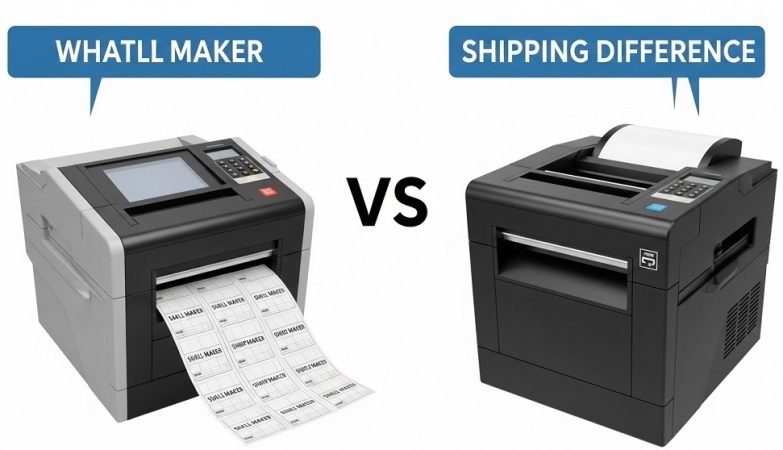

A label maker is designed for small, on-demand labels used in homes and offices, while a shipping printer is built to print high-volume shipping labels for eCommerce and logistics.
If you run an office, warehouse, or online store, choosing the wrong printer costs time and money. Many people assume all label printers are the same. They are not. A label maker and a shipping printer serve different purposes, use different technologies, and operate at different speeds.
Understanding the gap between these two office printing tools can prevent workflow issues, wasted supplies, and reprints. In this guide, you will learn:
- How each printer works
- Where thermal vs inkjet label printer technology fits
- Cost comparisons
- Real-world case insights
- Which device fits your business model
Let’s break it down step by step.
What Is a Label Maker?

Short answer: A label maker is a compact printer that produces small adhesive labels for organization, filing, product tagging, and general office use.
A label maker is typically handheld or desktop-sized. It prints labels for:
- File folders
- Cable tags
- Office supplies
- Storage bins
- School materials
How Does a Label Maker Work?
Most modern label makers use direct thermal printing. This means:
- No ink cartridges
- No toner
- Heat reacts with thermal paper to create text
Some older or advanced models use thermal transfer printing, where a ribbon transfers ink onto the label surface.
Typical Features of Label Makers
- Small print width (0.5 to 2 inches)
- Manual or light-duty printing volume
- Built-in keyboard (in handheld models)
- Bluetooth or USB connectivity
- Lower print speed
Label makers are ideal for internal organization. They are not designed for heavy shipping workflows.
What Is a Shipping Printer?
Short answer: A shipping printer is a high-speed printer designed to print 4×6 inch shipping labels used by eCommerce platforms and courier services.
If you sell on Amazon, Shopify, Etsy, or run a fulfillment center, you likely need a shipping printer.
How Does a Shipping Printer Work?
Most shipping printers use direct thermal technology. Some industrial versions use thermal transfer. Inkjet printers are rarely used for high-volume shipping because ink costs increase quickly.
Common Shipping Printer Features
- Standard 4×6 label support
- High-speed printing (100–150 mm/sec)
- Bulk roll loading
- Auto label detection
- Integration with shipping software
Shipping printers are built for efficiency. They reduce label misprints and speed up order processing.
Thermal vs Inkjet Label Printer: Which Technology Is Better?
Short answer: Thermal printers are better for shipping labels due to lower running costs and higher durability, while inkjet label printers are suitable for color and graphic-heavy prints.
| Feature | Thermal Printer | Inkjet Label Printer |
|---|---|---|
| Ink Required | No | Yes |
| Running Cost | Low | High |
| Print Speed | Fast | Moderate |
| Best For | Shipping labels | Color branding labels |
| Maintenance | Low | Frequent cartridge changes |
Why Thermal Wins for Shipping
Thermal printers eliminate ink expenses. According to logistics workflow studies, businesses processing over 500 orders per month reduce printing costs by up to 30–40% when switching from inkjet to direct thermal shipping printers.
Inkjet makes sense only if you need full-color product packaging labels.
When Should You Use a Label Maker Instead of a Shipping Printer?
Short answer: Use a label maker for internal organization and small labels. Do not use it for shipping labels.
Label makers are efficient when:
- You label office shelves
- You tag cables and electronics
- You organize home storage
- You create small barcode stickers
They are not suitable for 4×6 courier labels. Attempting to use one for shipping creates formatting issues and slows workflow.
When Is a Shipping Printer the Better Investment?
Short answer: A shipping printer becomes essential when you ship more than 10–20 packages per day.
Manual printing using standard inkjet printers wastes time. Cutting paper, taping labels, and replacing cartridges adds friction.
Case Insight: Small eCommerce Seller
A small online store shipping 25 orders daily switched from an inkjet printer to a direct thermal shipping printer. Results within 30 days:
- Reduced label printing time by 45%
- Eliminated $60/month ink cost
- Improved dispatch speed
Workflow efficiency directly impacts customer satisfaction and repeat purchases.
How Do Costs Compare Over Time?
Short answer: Label makers are cheaper upfront. Shipping printers are more cost-effective long term for high-volume use.
Upfront Costs
- Label Maker: $25–$100
- Shipping Printer: $100–$300
Long-Term Costs
- Thermal labels: Low recurring cost
- Ink cartridges: High recurring cost
For businesses shipping 1,000+ orders monthly, thermal shipping printers can save hundreds annually in ink replacement costs.
Are These Office Printing Tools Interchangeable?
Short answer: No. They are designed for different tasks and environments.
Using the wrong tool creates:
- Wasted materials
- Lower productivity
- Higher maintenance
- Workflow interruptions
Label makers are organizational tools. Shipping printers are logistics tools.
What Should You Consider Before Buying?
Short answer: Consider print volume, label size, integration needs, and long-term operating cost.
Key Buying Checklist
- Monthly print volume
- Label dimensions required
- Compatibility with shipping platforms
- Wi-Fi or USB connectivity
- Budget
Buying based only on price leads to inefficiency later.
Conclusion: Which One Should You Choose?
If your goal is organization, choose a label maker. If your goal is shipping efficiency, choose a thermal shipping printer.
The decision is not about features. It is about workflow.
As eCommerce grows and office operations become more automated, choosing the right office printing tools impacts speed, cost control, and scalability.
Call to Action: Audit your current printing setup today. Calculate your monthly print volume. If you are shipping consistently, invest in a thermal shipping printer. If you are organizing shelves, stick with a label maker. Make the decision based on usage, not assumptions.
FAQ: Label Maker vs Shipping Printer
Can I use a label maker to print shipping labels?
No. Most label makers cannot print 4×6 shipping labels required by courier services.
Is a thermal printer better than an inkjet for labels?
For shipping labels, yes. Thermal printers have lower operating costs and require no ink.
Do shipping printers need ink?
Most use direct thermal technology and do not require ink cartridges.
Are thermal labels waterproof?
Standard direct thermal labels resist minor moisture but can fade under heat or sunlight. For durability, thermal transfer labels perform better.
What size labels do shipping printers print?
Most commonly 4×6 inches, the standard for major courier platforms.
Are label makers good for small businesses?
Yes, for organization and internal labeling. Not for logistics shipping operations.
Related Topics: How to Fix Cash Flow Problems Caused by Hidden Costs
What Next: An introduction to civil litigation