Working in a small office presents unique challenges, especially when it comes to managing confidential documents. Many professionals assume they need to sacrifice security for space, but this simply isn’t true. A space-saving shredder can fit seamlessly into even the tiniest workspace while providing the document protection your business needs.
Small offices, home workspaces, and compact corporate environments all share a common problem: limited square footage. Every piece of equipment must earn its place. Fortunately, modern compact shredders are designed specifically for these situations. They deliver powerful performance without consuming valuable desk or floor space.
This comprehensive guide will show you exactly how to select, set up, and use a compact office shredder effectively. You’ll discover practical strategies for maximizing your limited space while maintaining document security. Whether you’re working from a studio apartment or a small business office, these insights will help you create an efficient shredding system.
Understanding Your Space Constraints
Before purchasing any office equipment, you need to assess your available space carefully. Measure the area where you plan to place your shredder. Consider not just the footprint of the machine itself, but also the clearance needed for operation.
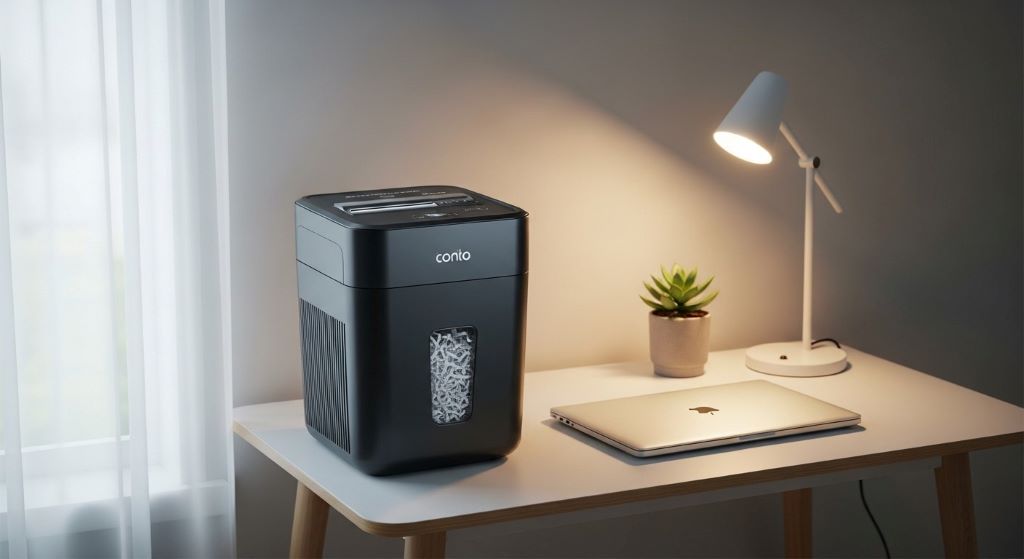
Think about vertical space as well. Some compact models are designed to sit on desktops, while others work better on the floor. Desktop models typically have smaller capacities but take up no floor space. Under-desk placement can be ideal if you have adequate clearance.
Traffic flow matters too. Your shredder should be accessible without creating obstacles in your workspace. Place it where you can easily feed documents without reaching awkwardly or blocking pathways. Consider how often you’ll use the machine and position it accordingly.
Choosing the Right Compact Shredder
Not all small shredders are created equal. The right choice depends on your specific needs and usage patterns. Start by determining what types of documents you’ll be shredding. Personal documents require less security than corporate financial records or medical information.
Security levels range from basic strip-cut to highly secure micro-cut. Strip-cut shredders create long strips and offer minimal security but faster operation. Cross-cut models provide moderate security by cutting documents into small rectangles. Micro-cut shredders offer maximum security with tiny confetti-like pieces.
Capacity is another crucial factor. Small workspace shredder models typically handle between three and eight sheets at once. This might seem limiting, but for individual use or small teams, it’s often sufficient. Check the duty cycle as well, which indicates how many sheets the machine can process before needing a cool-down period.
Noise level becomes important in compact spaces. You’ll be working closer to the machine than in a large office. Look for models specifically designed for quiet operation if you share your workspace or make frequent phone calls.
Setting Up Your Shredder Strategically
Location is everything when working with limited space. The classic position is beside your desk within easy reach. This placement encourages regular use because shredding becomes convenient rather than a chore you postpone.
However, consider alternative positions if desk space is precious. Under-desk placement works well if your shredder has a compact profile. You can pull it out when needed and tuck it away when finished. Some people prefer placing their shredder in a closet or cabinet, though this requires more effort to access.
Power outlet proximity matters more than many realize. Extension cords create tripping hazards and clutter in small spaces. Position your shredder near an existing outlet whenever possible. If you must use an extension cord, secure it properly along walls or under furniture.
Create a small shredding station even in tight quarters. Keep a small basket or tray nearby for documents awaiting destruction. This prevents paper from piling up on your desk while ensuring you don’t forget to shred sensitive materials.
Developing an Efficient Shredding Routine
Consistency prevents paper accumulation in small workspaces. Establish a regular shredding schedule rather than waiting for piles to build up. Many people find that shredding once daily or weekly works best, depending on volume.
Sort documents before shredding when possible. Remove staples, paper clips, and other metal fasteners that could damage the shredder. Most compact models can handle a few staples, but removing them extends the life of your machine. Check your manual for specific guidance.
Feed documents steadily rather than forcing too many sheets at once. Overloading causes jams and wear on the motor. If your shredder accepts eight sheets, start with six until you understand how your specific model performs. Different paper types and weights affect capacity.
Keep the shredder bin from becoming too full. Empty it regularly to maintain efficiency and prevent jams. Additionally, a full bin makes the machine work harder, potentially shortening its lifespan. Many models have indicators showing when emptying is needed.
Maintaining Your Compact Shredder
Regular maintenance keeps your small workspace shredder running smoothly for years. Oil the cutting blades according to manufacturer recommendations, typically after every few hours of use. Special shredder oil sheets make this process clean and simple. Simply feed one through like a document.
Clean dust and paper particles from the exterior and around the feed opening. These accumulate surprisingly quickly in regular use. A soft brush or compressed air works well for this purpose. Avoid harsh chemicals that might damage plastic components.
Address jams promptly and correctly. Most compact shredders have a reverse function specifically for clearing jams. Never force jammed paper or use metal objects to clear blockages. Consult your manual for the proper procedure, which usually involves reversing, then removing the jammed paper carefully.
Store your shredder properly if you don’t use it daily. Dust covers protect the mechanism and keep the machine looking professional. If you’ll be away for extended periods, empty the bin completely and wipe down the exterior.
Maximizing Space Efficiency
Vertical storage solutions help tremendously in tight quarters. Wall-mounted organizers can hold documents awaiting shredding, keeping them off your desk. Stackable trays work similarly while remaining flexible and portable.
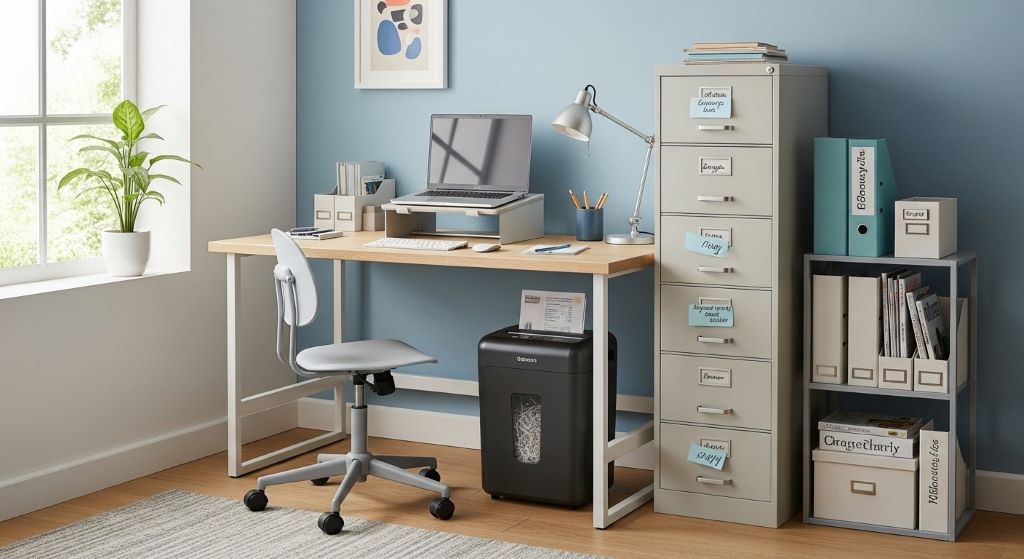
Consider dual-purpose furniture in small workspaces. Some filing cabinets are designed with spaces specifically for compact shredders. This integration saves floor space while keeping everything organized and accessible. Your shredder becomes part of your storage solution rather than a separate item consuming space.
Mobile solutions offer flexibility worth considering. A small rolling cart can hold your shredder and move it wherever needed. When finished, roll it into a closet or corner. This approach works particularly well if multiple people share one machine.
Think creatively about unused spaces. The area under a wall-mounted desk often goes empty. A compact shredder fits perfectly in such spots. Similarly, corners frequently remain underutilized. A corner placement with a small shelf above maximizes every inch.
Managing Shredded Paper Disposal
Small workspaces generate disposal challenges beyond just shredding. Shredded paper accumulates quickly, and you need a plan for removal. Consider the frequency required based on your shredding volume.
Recycling shredded paper is environmentally responsible and often required. However, not all recycling programs accept it. Check with your local waste management service about requirements. Some request that shredded paper be placed in clear bags before recycling.
Composting offers another option for those with access to composting facilities. Shredded paper makes excellent brown material for compost. Just ensure you’re only composting paper without glossy coatings or heavy inks. Personal documents with standard printing work fine.
Coordinate disposal with your regular trash schedule to avoid overflow. If you generate significant amounts of shredded paper, consider keeping a dedicated bag or bin. When full, it goes straight to recycling without creating interim mess.
Troubleshooting Common Issues
Even quality compact shredders occasionally present problems. Understanding common issues helps you address them quickly. Frequent jams often indicate overfeeding. Reduce the number of sheets you insert at once. Different paper types handle differently.
Motor overheating usually means you’ve exceeded the duty cycle. Most compact models need rest periods after continuous operation. Let the machine cool for fifteen to thirty minutes before resuming. This prevents permanent motor damage.
Reduced shredding performance might signal dull blades. Oil them thoroughly and allow several test runs. If performance doesn’t improve, the blades may need professional sharpening or replacement. Many manufacturers offer blade replacement services.
Unusual noises deserve attention immediately. Grinding or squealing sounds often indicate foreign objects in the mechanism. Stop use immediately and inspect carefully. Small items like coins or fasteners can cause significant damage if left unaddressed.
Security Considerations for Small Spaces
Document security remains crucial regardless of workspace size. A space-saving shredder doesn’t mean compromising on protection. Choose a security level appropriate for your document types. Financial records and personal information require cross-cut or micro-cut security at minimum.
Position your shredder where casual observers can’t see what you’re destroying. This matters particularly in shared workspaces or home offices where visitors might be present. Privacy doesn’t require a separate room, just thoughtful placement.
Develop a consistent routine for handling sensitive documents. Never leave them sitting in a “to shred” pile overnight. Process them immediately or store them securely until you can shred them. In small spaces, unsecured documents are more visible and vulnerable.
Consider your shredded paper disposal from a security perspective too. Even shredded documents can reveal information if disposal isn’t secure. Use opaque bags for recycling and transport them directly to collection points.
Conclusion
Successfully using a compact office shredder in limited space requires planning and consistency. Start by carefully assessing your space and choosing a model that fits both physically and functionally. Strategic placement makes regular use convenient while maintaining workspace flow.
Develop routines for both shredding and maintenance to keep your machine performing optimally. Regular care prevents problems and extends equipment life significantly. Remember that even small shredders can provide excellent security when used properly.
Therefore, space constraints don’t mean sacrificing document protection. With the right equipment and smart practices, you can maintain professional-level security in any workspace. Your compact shredder becomes an asset rather than an obstacle when integrated thoughtfully into your daily workflow.
Frequently Asked Questions
How often should I oil my compact office shredder?
Oil your shredder after approximately every thirty minutes of cumulative use or once monthly, whichever comes first. However, if you notice performance declining or hear squeaking, oil immediately. Use only manufacturer-recommended shredder oil or oil sheets to avoid damaging the cutting mechanism.
Can I shred credit cards and CDs in a small workspace shredder?
Many compact shredders can handle credit cards and CDs, but you must verify your specific model’s capabilities. Check the manual before attempting to shred anything other than paper. Some models have separate slots for these materials, while others cannot accommodate them safely.
What’s the difference between duty cycle and sheet capacity?
Sheet capacity refers to how many pages you can shred simultaneously in one pass. Duty cycle indicates the total number of sheets the machine can process before needing a cooling period, usually measured per day or session. Both specifications matter for determining if a shredder suits your needs.
How can I reduce shredder jams in my small office?
Prevent jams by never exceeding the stated sheet capacity and removing staples before shredding. Feed documents straight into the center of the opening and avoid shredding folded papers. Keep the blades properly oiled and empty the bin before it reaches maximum capacity.
Is a cross-cut or micro-cut shredder better for small spaces?
Cross-cut shredders typically process documents faster and work well for most small office needs. Micro-cut models provide higher security but operate more slowly. Choose based on your security requirements rather than space constraints, as both types come in compact sizes suitable for small workspaces.
Related Topics:
Four steps in the sheet metal fabrication process
Cutting Concrete Waste: Smart Strategies for Sustainable Construction