

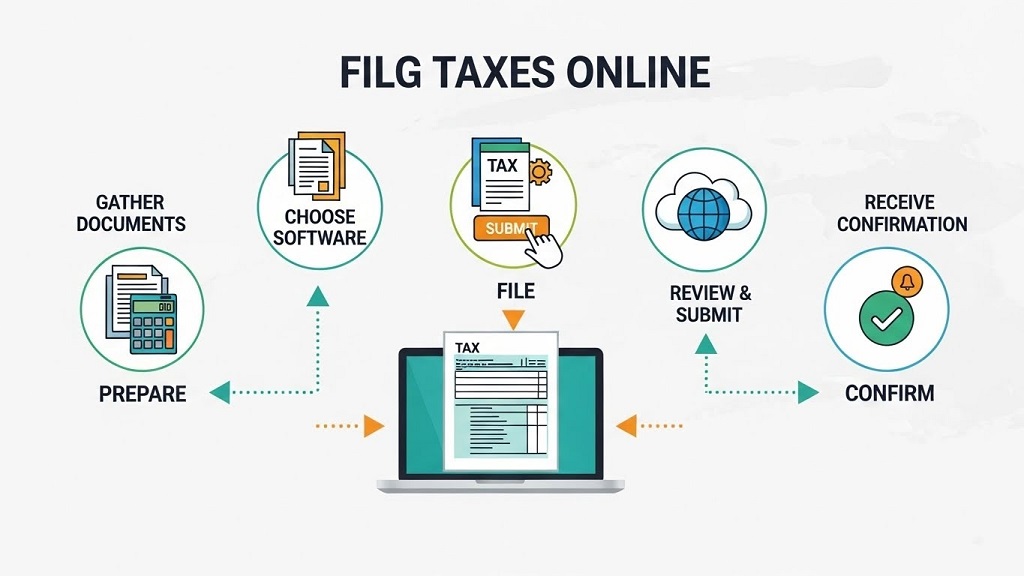
File taxes online means submitting your federal and state tax returns electronically using IRS-approved software instead of mailing paper forms.
Online tax filing has become the standard for individuals, freelancers, and small business owners. According to IRS data, more than 90% of individual tax returns are now e-filed. The reason is simple: it’s faster, more accurate, and reduces processing errors.
But here’s the problem. Many people jump straight into online tax filing without preparing properly. That leads to rejected returns, missing deductions, delayed refunds, or IRS notices weeks later.
This guide solves that problem.
You’ll learn exactly what you need before you start e-filing taxes, how to avoid common mistakes, and how to file with confidence—even if you’re doing it for the first time.
Everything is structured in a clear Q&A format, with direct answers first, then deeper explanations. No fluff. No filler.
Why Do People Make Mistakes When Filing Taxes Online?
Most online tax filing mistakes happen due to poor preparation, not software errors.
The IRS reports that incorrect income reporting and missing documentation are among the top causes of delayed refunds and audits. Online platforms calculate numbers correctly—but only if the information you enter is accurate.
Here’s what typically goes wrong:
- Missing income forms (1099s, W-2s)
- Incorrect Social Security numbers
- Wrong filing status selection
- Overlooking deductions or credits
- Banking details entered incorrectly
The solution is preparation. Before you e-file taxes, you need the right documents, details, and decisions already made.
What Personal Information Do You Need Before You File Taxes Online?
You need accurate personal and household information before starting online tax filing.
This data verifies your identity and determines your filing status, credits, and deductions.
Required personal details include:
- Full legal name (as shown on Social Security card)
- Social Security Number (SSN) or ITIN
- Date of birth
- Current mailing address
If you’re filing jointly or claiming dependents, also prepare:
- Spouse’s SSN and date of birth
- Dependent SSNs and relationship details
- Childcare provider information (if claiming credits)
Pro tip: Even one incorrect digit in an SSN can cause your e-filed return to be rejected instantly.
What Income Documents Are Required to E-File Taxes?
You must report all taxable income, even if you don’t receive a form.
Online tax filing systems rely on income forms to calculate taxes correctly.
Common income documents include:
- W-2 – Employment wages
- 1099-NEC – Freelance or contractor income
- 1099-MISC – Other income types
- 1099-INT – Bank interest
- 1099-DIV – Dividends
- 1099-K – Payment platforms (if applicable)
Case study insight: In a 2024 IRS compliance review, over 30% of notices sent to taxpayers were due to unreported 1099 income that payment platforms had already reported.
If you earned income—even cash—you are legally required to report it when you file taxes online.
What Expense Records Do You Need for Online Tax Filing?
Expenses reduce taxable income, but only if you have records.
This is especially important for freelancers, self-employed individuals, and small business owners.
Common deductible expense records:
- Office supplies and software subscriptions
- Home office expenses (if eligible)
- Internet and phone usage for work
- Business travel and mileage logs
- Advertising and marketing costs
Data-backed note: IRS audit statistics show that organized documentation significantly lowers audit risk—even when deductions are claimed.
You don’t need to submit receipts when you e-file taxes, but you must keep them for at least three years.
How Do You Choose the Right Filing Status Before E-Filing?
Your filing status affects tax brackets, deductions, and eligibility for credits.
Selecting the wrong status is a common mistake in online tax filing.
The five IRS filing statuses:
- Single
- Married Filing Jointly
- Married Filing Separately
- Head of Household
- Qualifying Surviving Spouse
Important: Head of Household offers lower tax rates but has strict requirements. Many returns are flagged due to incorrect use of this status.
Before you file taxes online, confirm your eligibility based on living situation and financial support.
What Deductions and Credits Should You Review Before Filing Online?
Deductions reduce taxable income. Credits reduce taxes owed dollar-for-dollar.
Online tax software will prompt you, but knowing what applies saves time and prevents missed savings.
Common deductions:
- Student loan interest
- IRA contributions
- Self-employed health insurance
- Business expenses
Common tax credits:
- Child Tax Credit
- Earned Income Tax Credit (EITC)
- Education credits
- Child and Dependent Care Credit
Real-world example: IRS data shows millions of taxpayers miss the EITC each year simply because they assume they don’t qualify.
What Banking Details Are Needed for Online Tax Filing?
Accurate banking details ensure fast refunds or successful payments.
When you e-file taxes, you’ll be asked how you want to handle refunds or balances due.
Prepare the following:
- Bank name
- Routing number
- Account number
- Account type (checking or savings)
Fact: IRS-issued refunds via direct deposit are typically processed within 21 days, compared to 6–8 weeks for paper checks.
Is Online Tax Filing Secure?
Yes, if you use IRS-authorized software and follow basic security steps.
Tax identity theft is real, but it’s preventable.
Security best practices:
- Use strong, unique passwords
- Enable two-factor authentication
- File early to prevent fraud
- Avoid public Wi-Fi
IRS-approved platforms use encryption and compliance standards to protect taxpayer data.
Should You File Taxes Online Yourself or Get Help?
It depends on income complexity, not confidence.
You can file taxes online yourself if:
- You have simple income sources
- You understand your deductions
- You’re comfortable reviewing numbers
Consider professional help if:
- You have multiple income streams
- You own a business
- You received IRS notices in the past
Many people use hybrid options—online tax filing with professional review.
Conclusion: Are You Ready to File Taxes Online?
Filing taxes online doesn’t have to be stressful. But it does require preparation.
When you gather personal details, income documents, expense records, and banking information beforehand, online tax filing becomes faster, cleaner, and more accurate.
The biggest takeaway? Tax software doesn’t replace responsibility. It simply makes the process easier when you’re prepared.
CTA: Before you start e-filing taxes, use this guide as a checklist. Bookmark it. Share it. And file with confidence—not guesswork.
Frequently Asked Questions About Filing Taxes Online
Is it safe to file taxes online?
Yes. IRS-approved online tax filing platforms use encryption and security protocols to protect taxpayer data.
Do I need all documents before I start e-filing?
Yes. Starting without complete documents increases the risk of errors and rejected returns.
Can I file taxes online for free?
Many taxpayers qualify for free online tax filing depending on income level and return complexity.
What happens if I make a mistake when e-filing?
Most online tax software flags errors before submission. If accepted, you can file an amended return.
How long does it take to get a refund when filing online?
Most refunds are issued within 21 days when using direct deposit.
Can self-employed individuals file taxes online?
Yes. Online tax filing supports self-employment income and expense deductions.
Related Topics: What Is a Small Business Consultant and Why Do Businesses Hire One?
Related Topics: What Can You Do with Your Pension Pot in Retirement?